Setting/Managing Session Participant Capacity
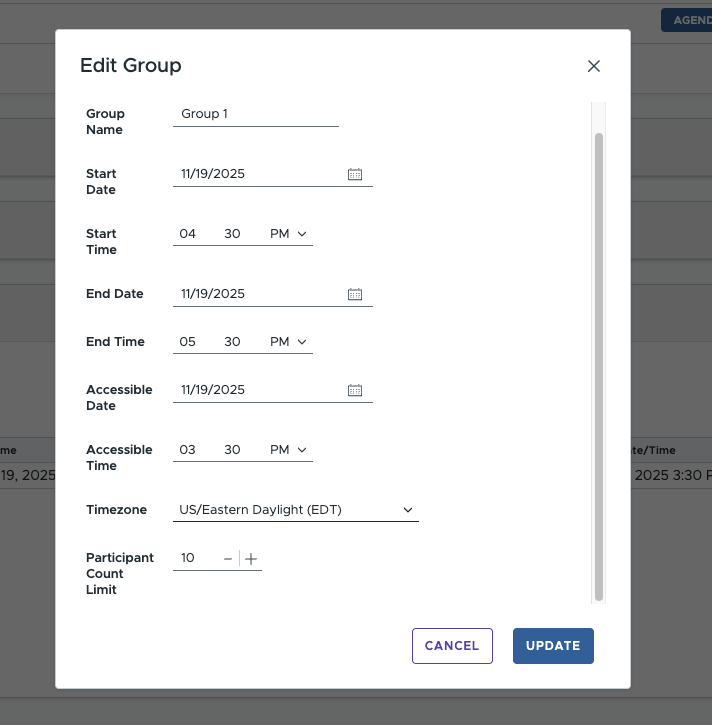
Setting a participant limit
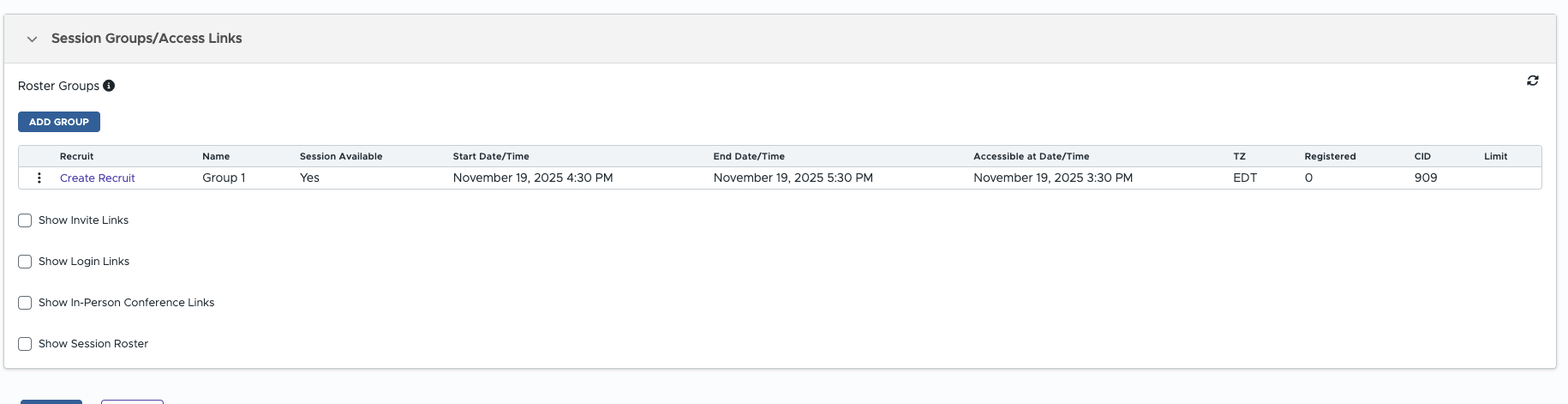
To set a participant limit for a given session group go to edit session -> session groups and click edit group and update the form field called "Participant Count Limit"
What Participants See
When participants try to signup via a invite link:
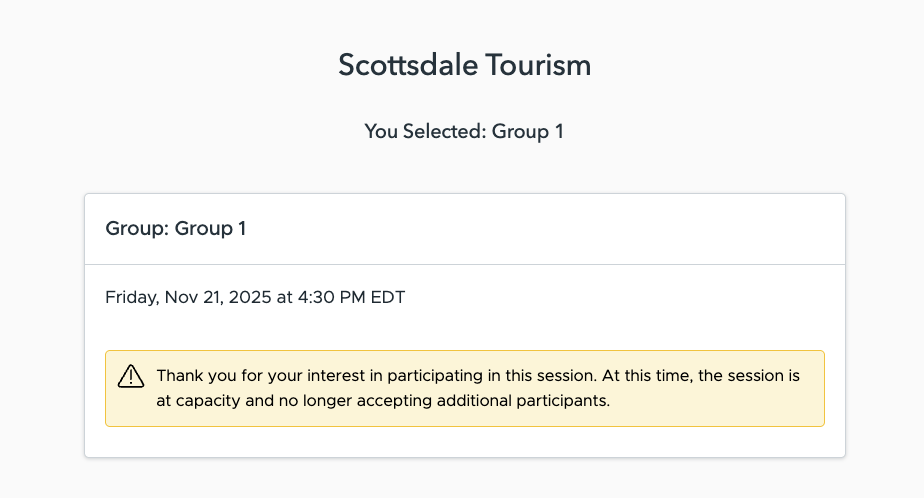
When participants try to sign in directly via a login link ( for zoom/teams chat etc )
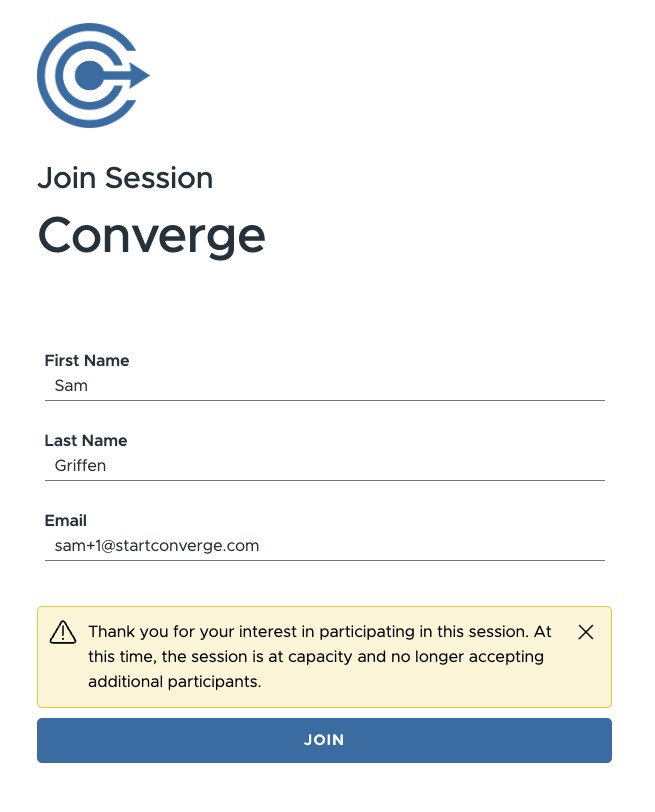
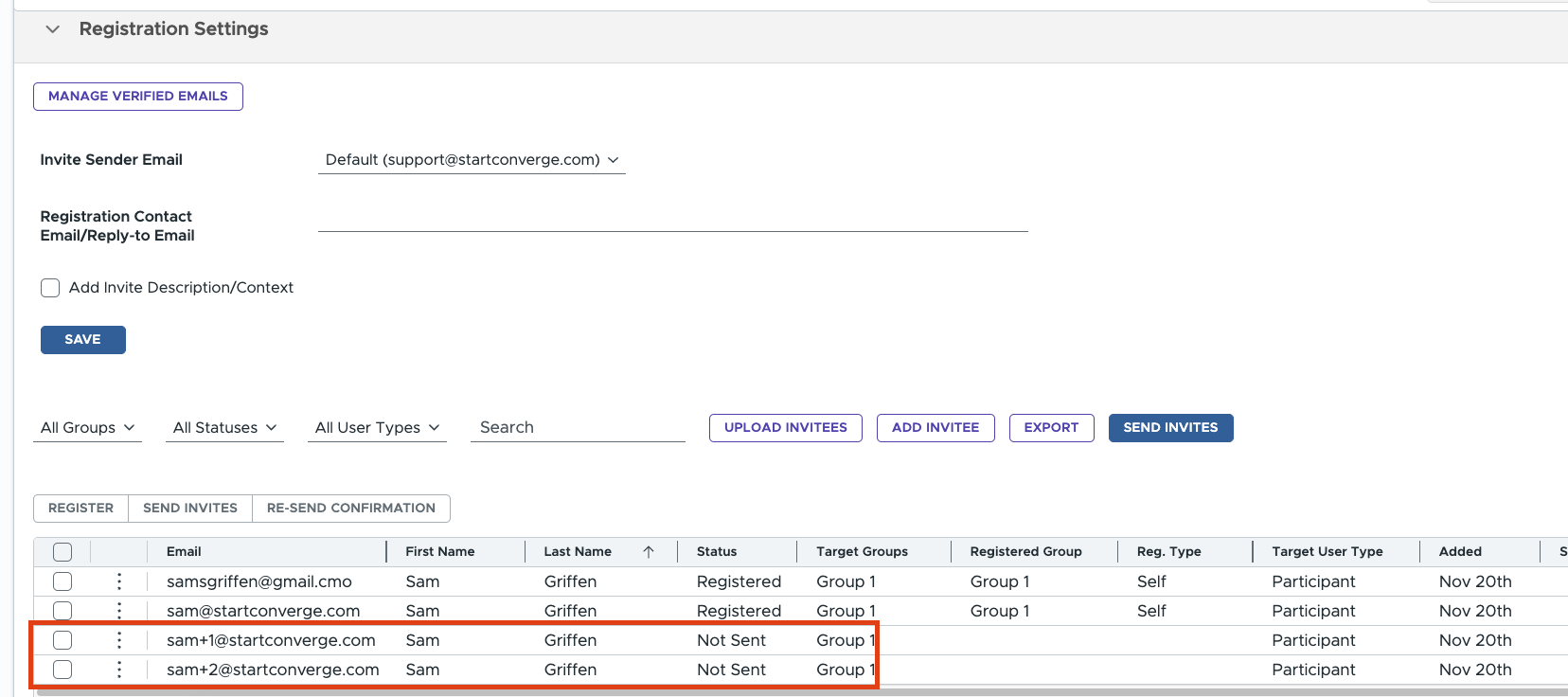
Participants that attempted to sign up via the invite link are captured and stored in the registration settings as "Not Sent" status at the moment. So the current recourse if you'd like to include them would be increase the limit and manually register them after via the bulk select -> register